
Detecting device...
Smart Noise Detection

HushTech EchoAware - School Hall Noise Monitor

An intelligent system that automatically detects and responds to excessive noise levels in school halls using adaptive calibration.
Project Overview

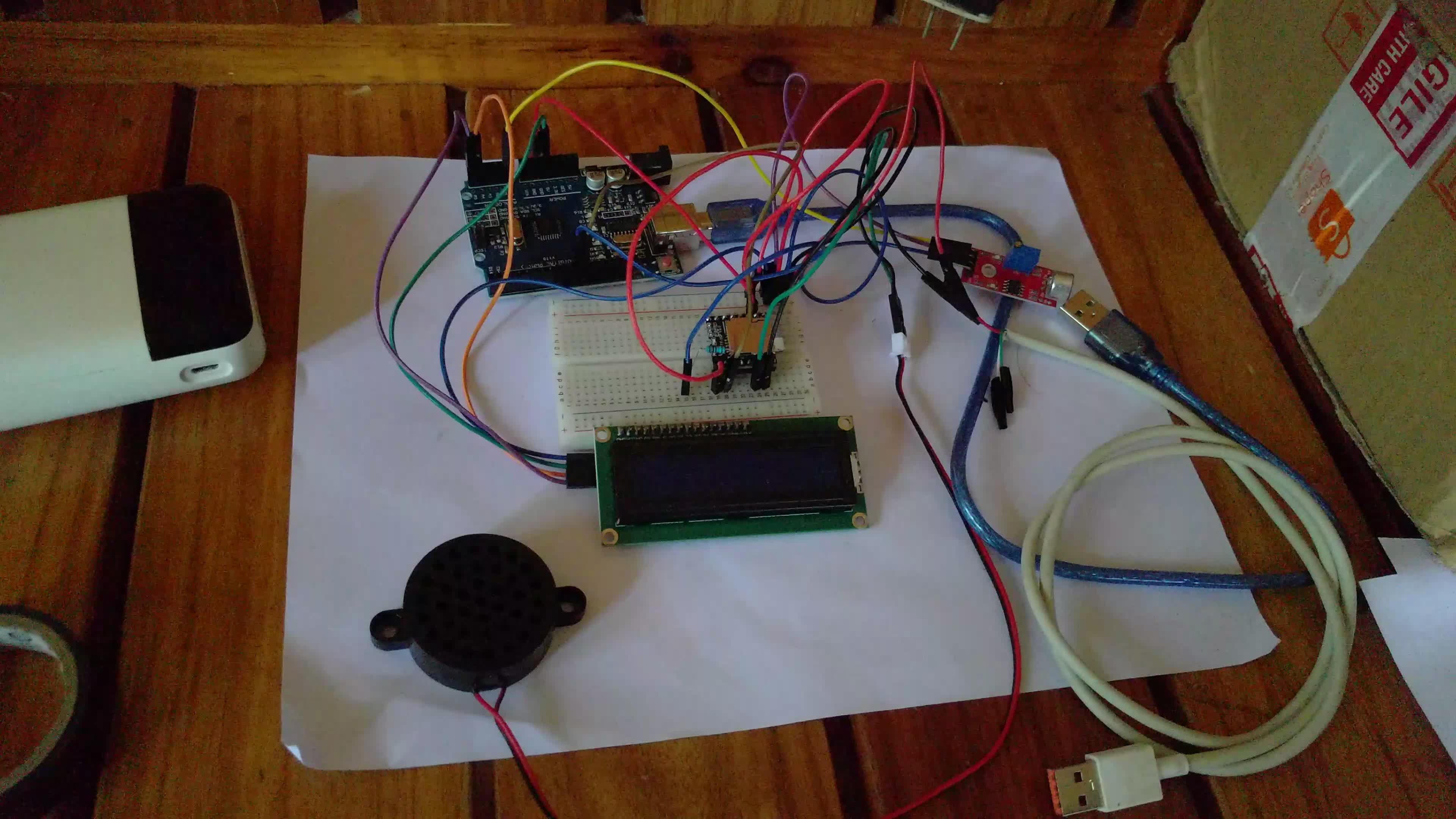
This HushTech EchoAware system features an intelligent noise monitoring solution that automatically calibrates to its environment and provides real-time feedback when noise levels become disruptive.

Using a sound sensor with adaptive calibration, the system learns the ambient noise levels and detects when noise exceeds reasonable levels. When this happens, the DF Mini Player module plays an automated message asking students to lower their volume.

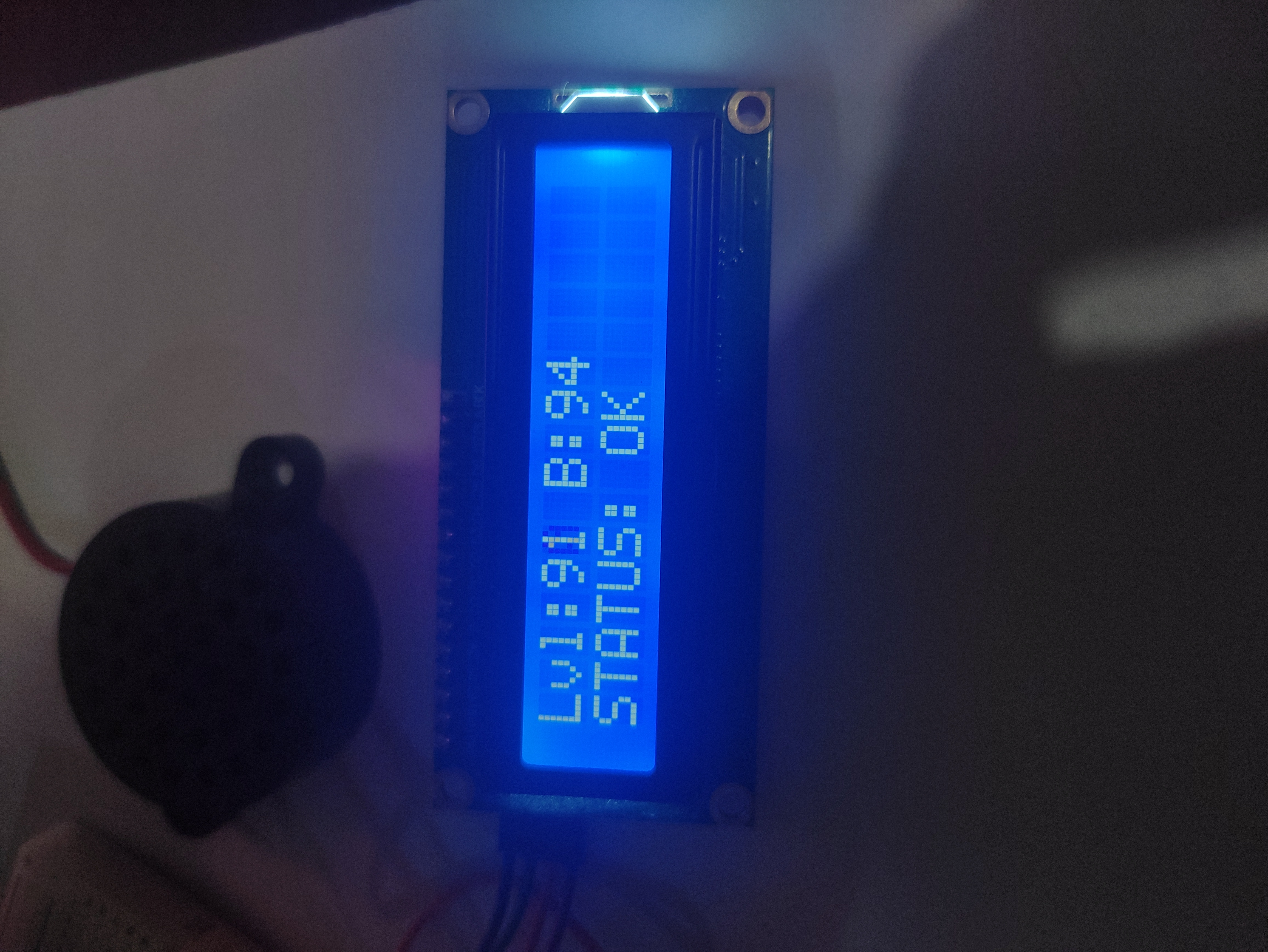
The LCD display shows real-time noise levels and system status, providing visual feedback to anyone in the hall.

HushTech EchoAware Project

Components Used

Arduino Uno R3

The main microcontroller that processes sound input and controls all components with adaptive calibration logic.

DF Mini Player

Audio module that plays automated messages when the system detects excessive noise levels.

Sound Sensor Module

Detects environmental noise levels and sends analog data to Arduino for analysis.

LCD I2C Display

Shows real-time noise levels, calibration status, and system messages.

Auto-Calibration System

Intelligent algorithm that adapts to different environments without manual threshold setting.

Power & Connectivity

Breadboard, jumper wires, and 5V power supply for complete circuit assembly.

Technical Specifications

Parameter Specification Value
Noise Detection Adaptive calibration system Auto-adjusting threshold
Calibration Time Initial environment learning period 10 seconds
Response Time Time to detect and respond to noise < 5 seconds
Power Supply Operating voltage 5V USB Cable
Audio Output Speaker specifications 8Ω 1W Speaker
Detection Range Effective noise detection distance N/A
Microcontroller Processing unit Arduino Uno R3

How It Works

1

Auto-Calibration

During startup, the system samples ambient noise for 30 seconds to establish a baseline, eliminating the need for manual threshold setting.

2

Continuous Monitoring

The sound sensor continuously monitors noise levels, comparing them to the learned baseline in real-time.

3

Intelligent Detection

When noise exceeds 150% of the baseline level, the system triggers an alert response.

4

Multi-Modal Alert

The DF Player delivers an audio message while the LCD displays a visual warning to students.

Noise Level Simulation Sample

Experience how the auto-calibration system responds to different noise environments:

Calibration Status: Calibrating...
Baseline Level: --
Current Threshold: --
Quiet Moderate Noisy
CALIBRATING...
Please wait 30s
Please maintain a quieter environment!
Audio: Ready

Troubleshooting Guide

No Audio Output

Possible Causes:

  • DF Player not properly initialized
  • Incorrect SD card format
  • Wrong file naming convention
  • Speaker connection issues

Solutions:

  1. Check DF Player RX/TX connections
  2. Format SD card as FAT32
  3. Name files as 001.mp3, 002.mp3, etc.
  4. Test speaker with another device

LCD Display Issues

Possible Causes:

  • Incorrect I2C address
  • Poor solder connections
  • Power supply problems
  • Contrast set incorrectly

Solutions:

  1. Scan for correct I2C address (usually 0x27 or 0x3F)
  2. Check backpack solder joints
  3. Verify 5V power to LCD
  4. Adjust contrast potentiometer

Calibration Problems

Possible Causes:

  • Noisy environment during calibration
  • Sound sensor not responding
  • Inconsistent readings
  • Sensor placement issues

Solutions:

  1. Calibrate in typical ambient conditions
  2. Check sound sensor connections
  3. Ensure stable power supply
  4. Reposition sensor for better detection

Arduino Not Responding

Possible Causes:

  • Power supply issues
  • Code upload failures
  • Short circuits
  • Component failures

Solutions:

  1. Check power supply voltage (5V required)
  2. Verify proper board selection in IDE
  3. Inspect for shorted connections
  4. Test components individually